How to Setup Outlook (PC)
Print
Created by: Oluwafemi Fowode
Modified on: Fri, 5 Nov, 2021 at 8:51 AM
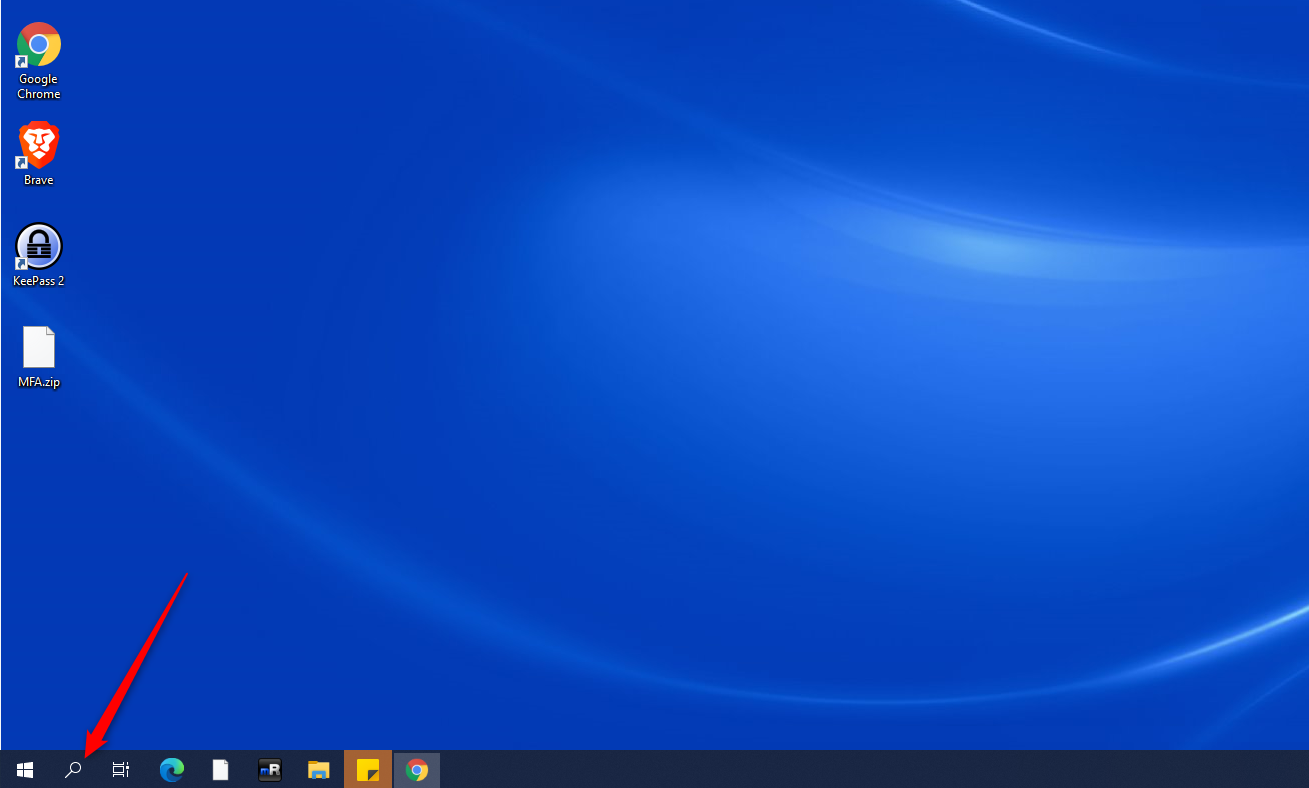
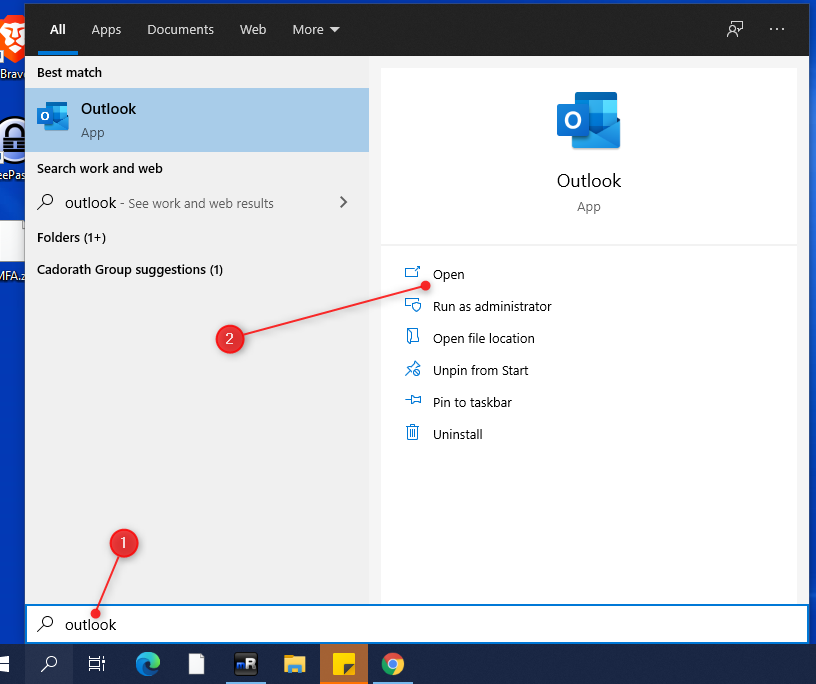
(1) Click on the search icon and search for the word " outlook ".
(2) Click on the option "Open " to launch outlook.
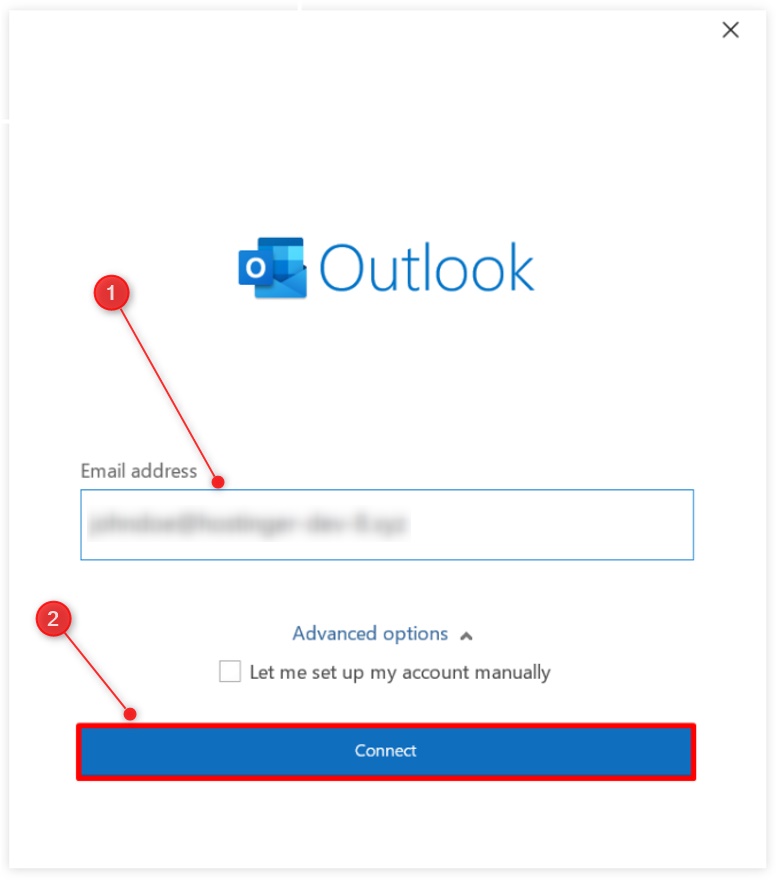
(3) Insert your cooperate email address (example@cadorath.com) then click the Connect button.
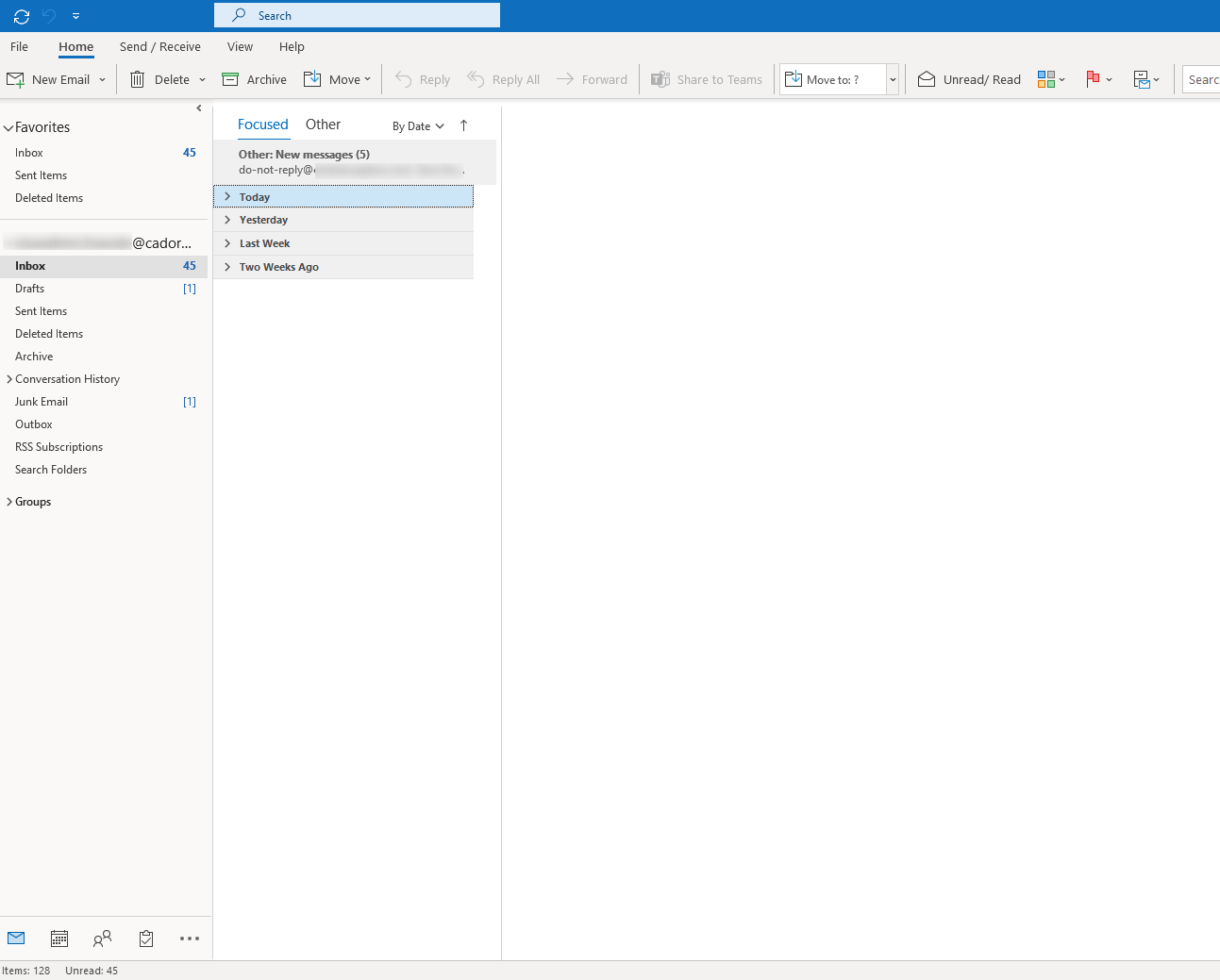
(4) You should have access to your emails as displayed below.
If you have any further questions or concerns, lets us know.
Oluwafemi is the author of this solution article.
Did you find it helpful?
Yes
No
Send feedback Sorry we couldn't be helpful. Help us improve this article with your feedback.
