
Step 1: Export the current database to SQL file
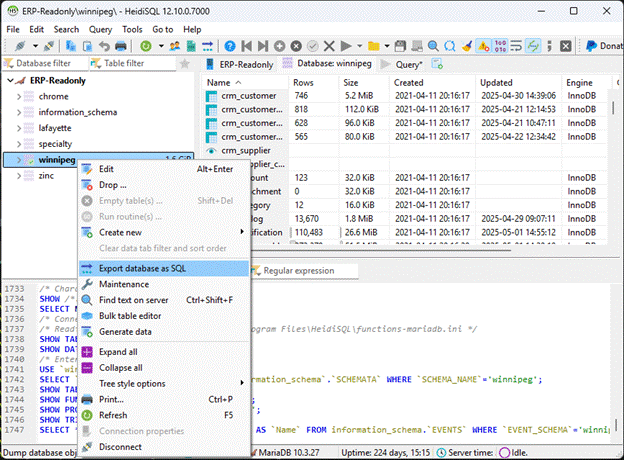
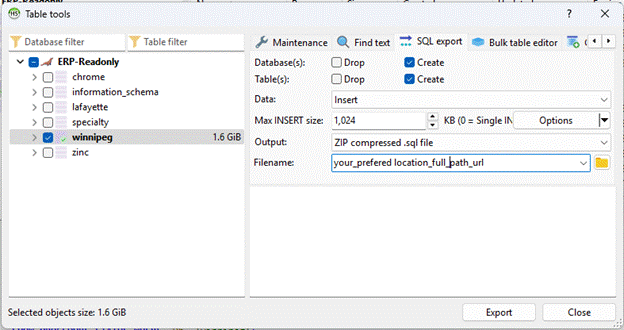
Step2: Follow the same config for safe migration
Step3: Disconnect from existing session before starting a new session
VERY IMPORTANT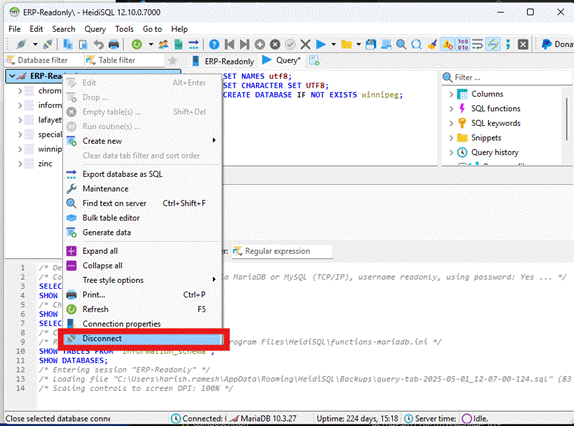
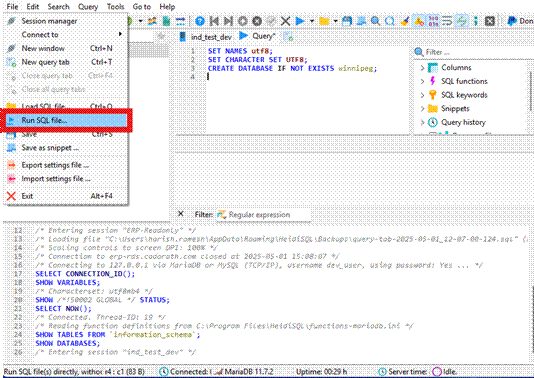
Step 4: Set these before importing. Encoding Strictly utf-8
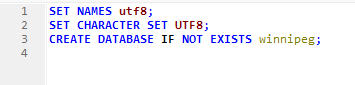
Step 5: Change these lines from winnipeg database to ind_test_dev exported SQL file before importing
Change from: winnipeg

Change to: ind_test_dev

Step 6: Run the SQL file after the changes mentioned
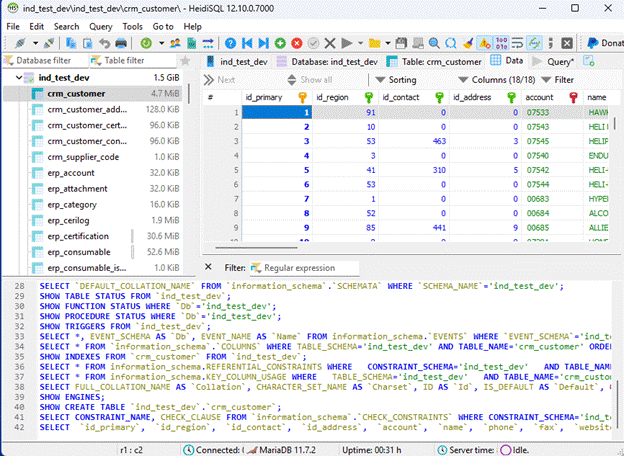
Step7: Check the database and table to confirm if data loaded
Once complete, continue with setting up the docker and other configs as mentioned in the Local Dev Environment Docker Build Guide.