How to Register Payworks SSO
Print
Created by: Oluwafemi Fowode
Modified on: Wed, 15 Oct, 2025 at 11:59 AM
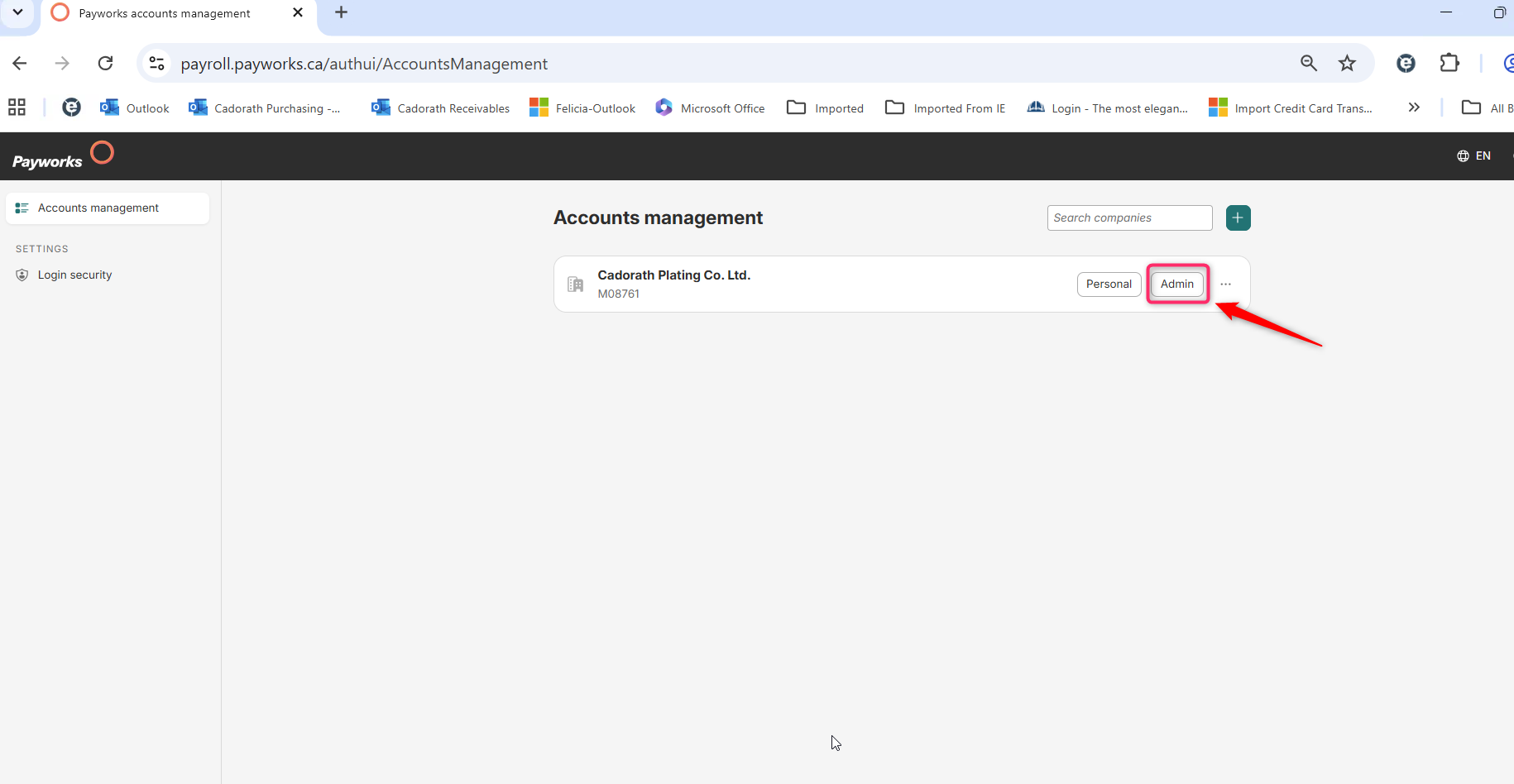
(2) Click the “Admin” button.
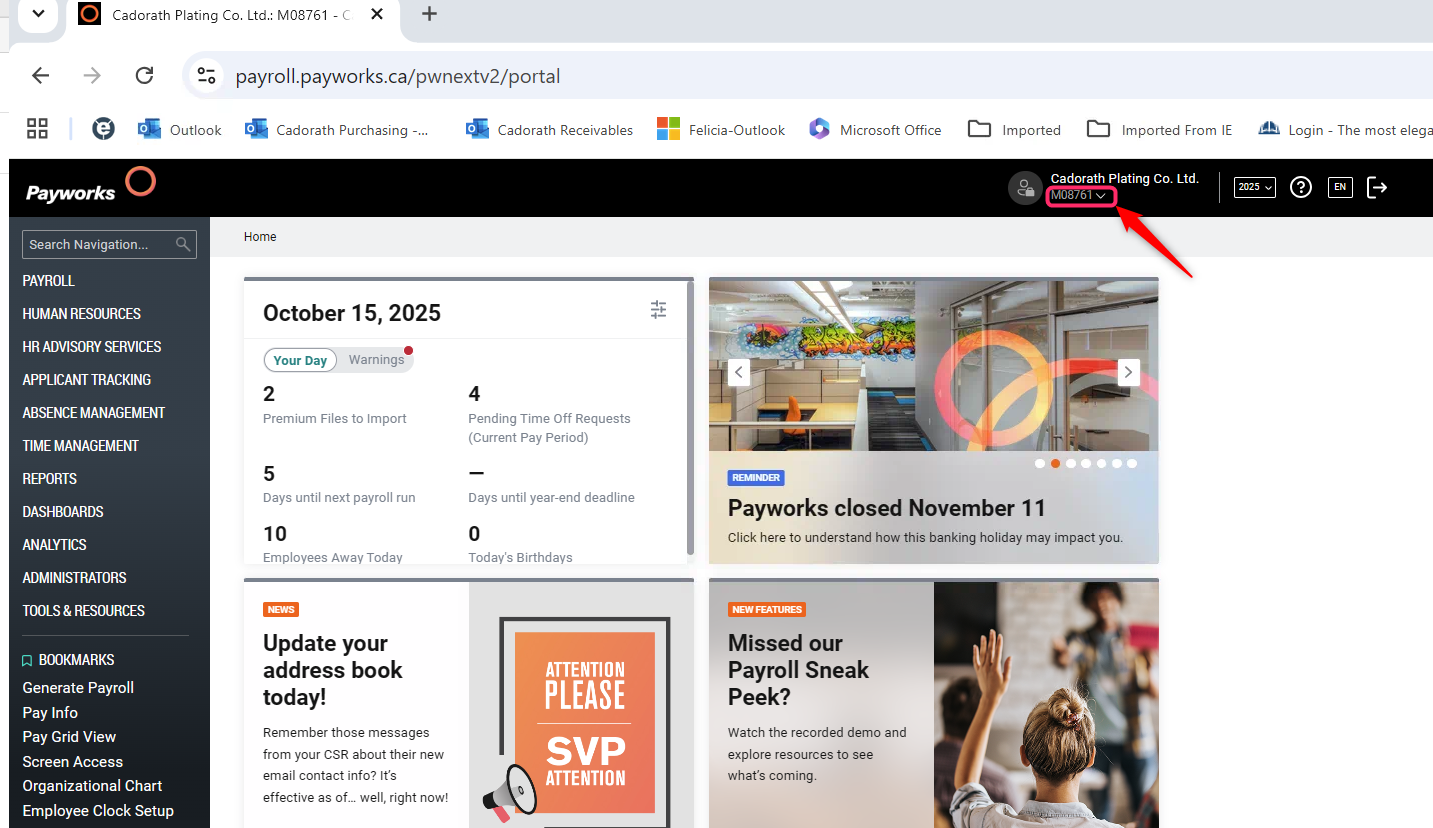
(3) Click the drop down menu "M08761" as seen below.
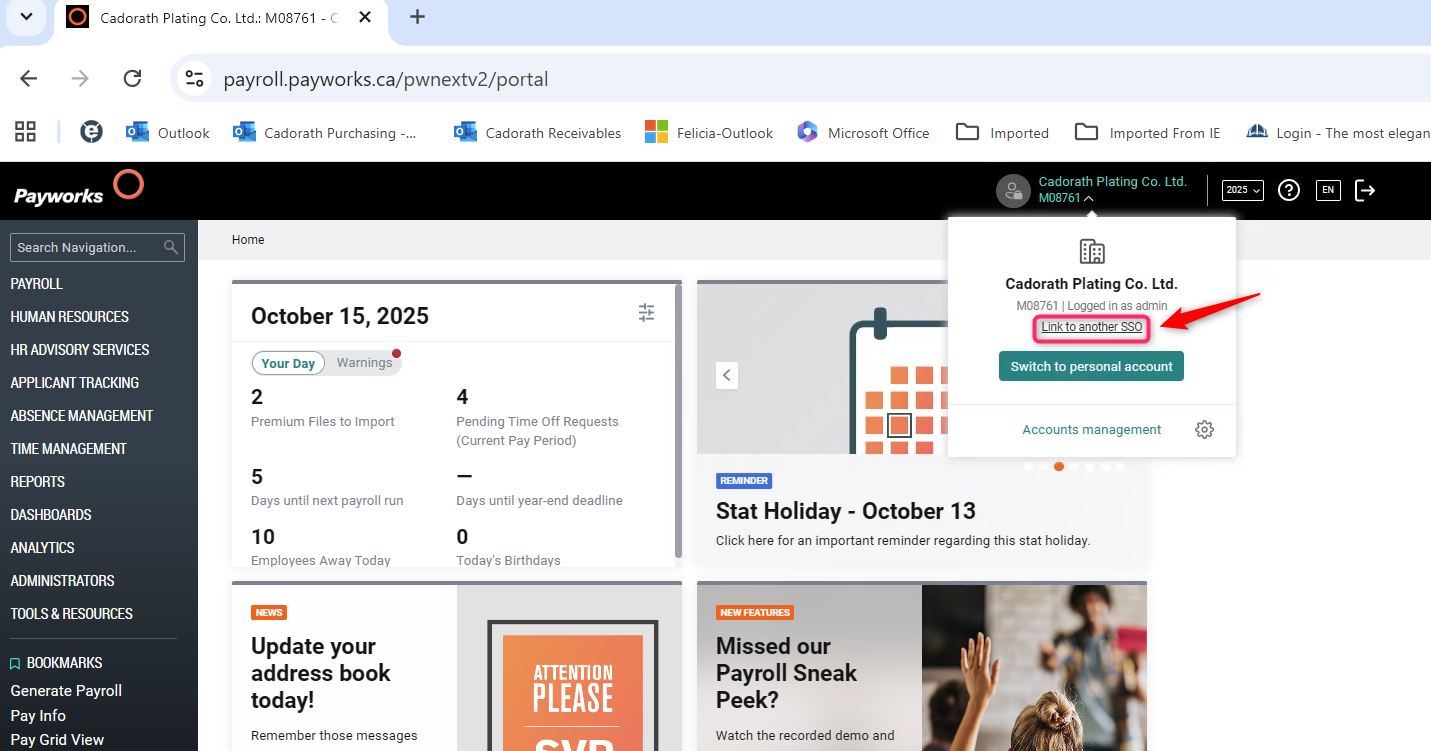
(4) Click the link "link to another SSO".
(5) Insert your cadorath's email address and password.
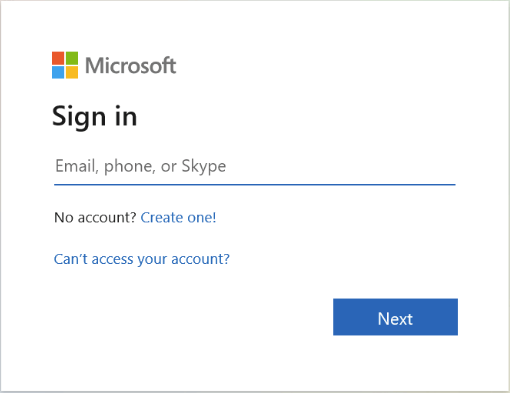
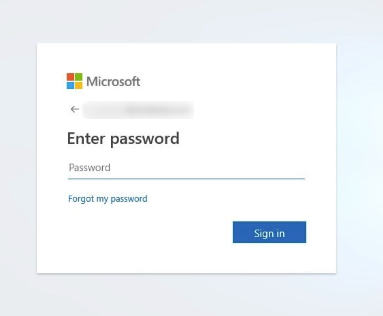
(6) After the SSO setup is complete, you should see the Account Management screen as displayed below.
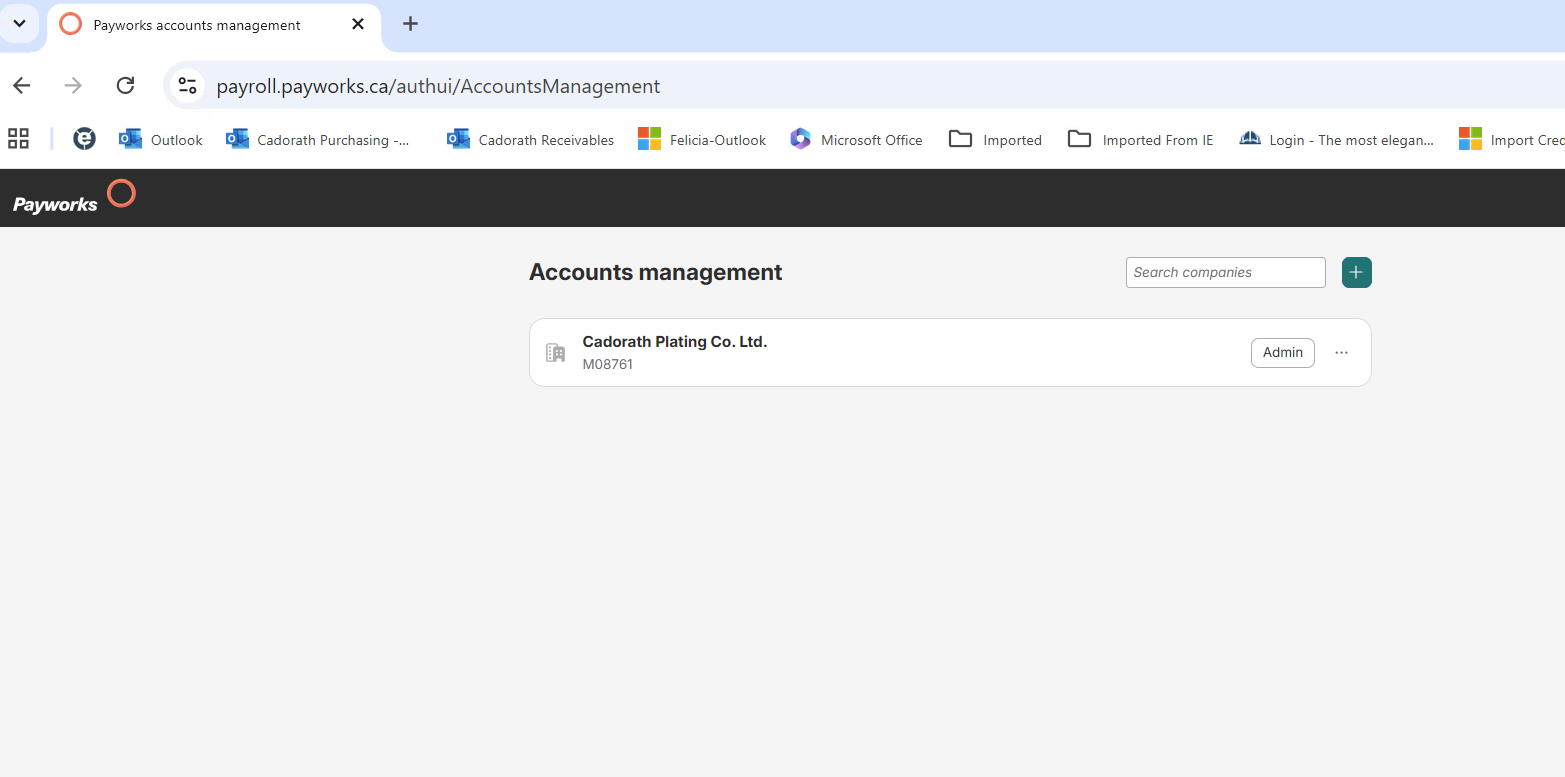
(7) After registration you can now access payworks admin through the link below.
Please bookmark this for easier access.
Please reach out to IT Support if you are experiencing issues with this setup.
Oluwafemi is the author of this solution article.
Did you find it helpful?
Yes
No
Send feedback Sorry we couldn't be helpful. Help us improve this article with your feedback.
