
Save a login (or other item) in your personal vault.
Mock item: Acme Portal /
jordan.lee@example.com
1. Open New → Login
From Vaults, click + New and choose Login (or open New Login from the empty-state checklist).
Fill Name, Username, and optional URI (website URL for autofill).
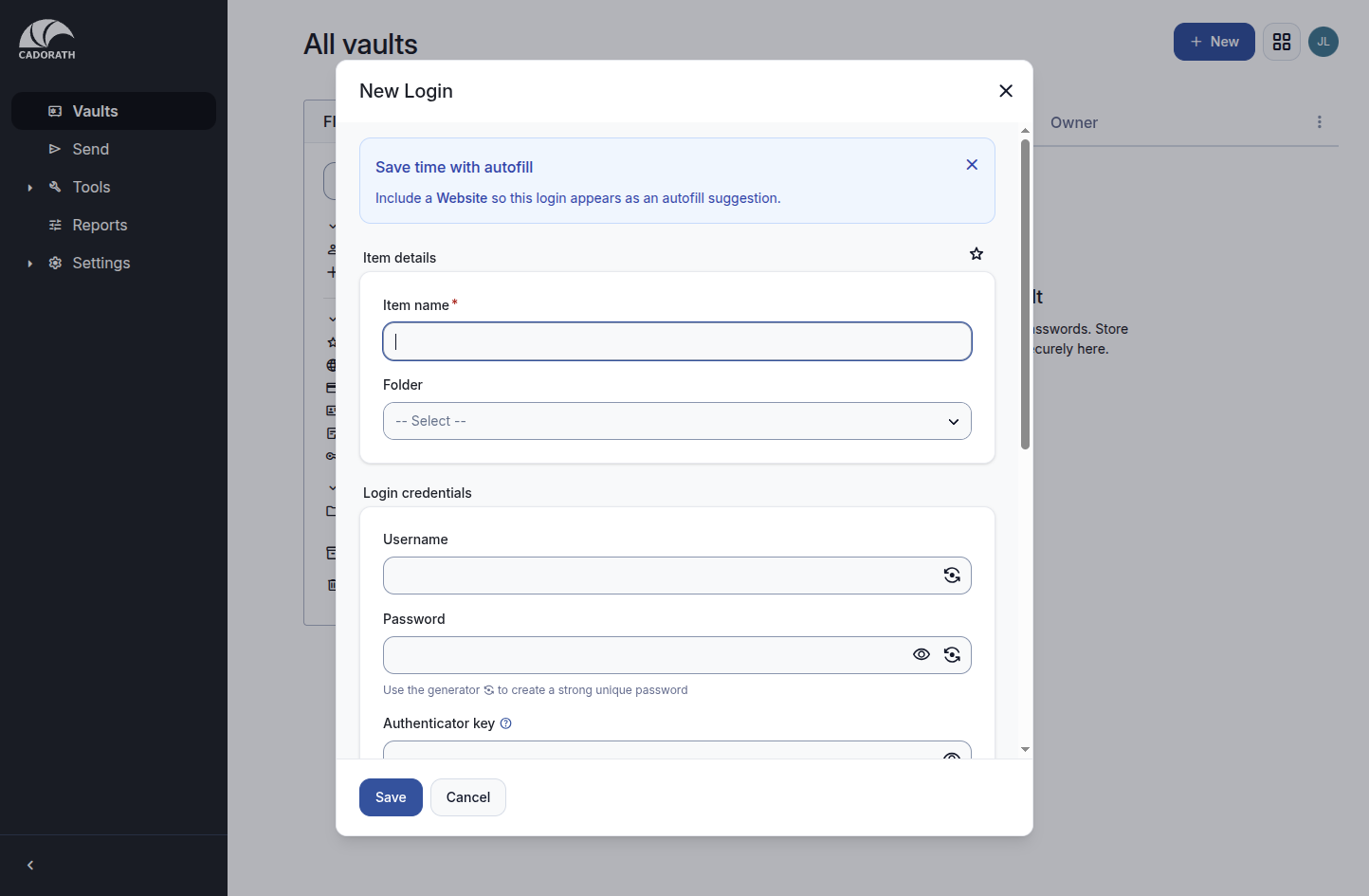
New login form
2. Generate a strong password (recommended)
Click the generator icon next to the password field. Adjust length / character options, then use the generated value.
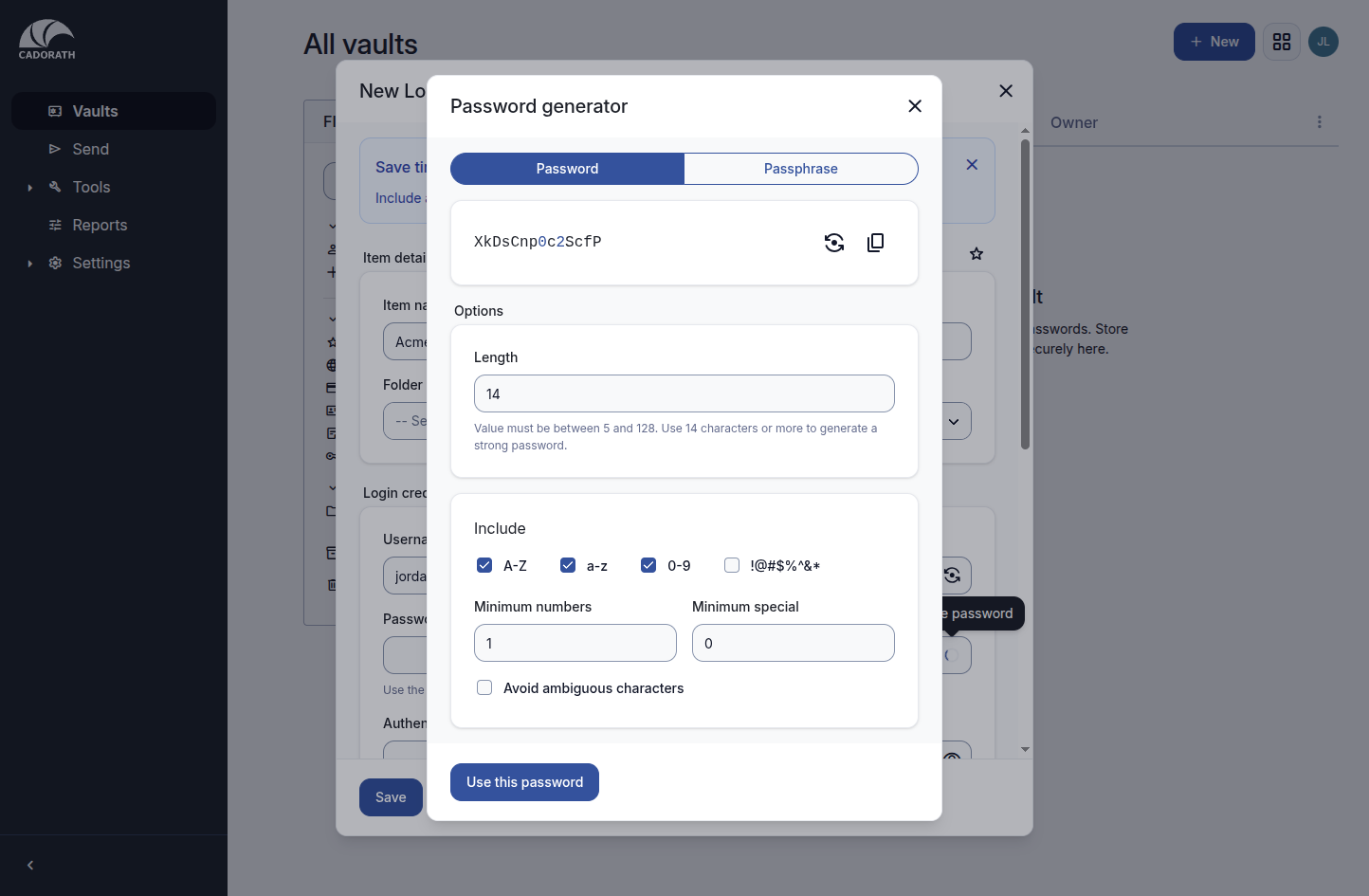
Generator from new item
More detail: Password generating.
3. Review and save
Confirm fields look correct, then Save.
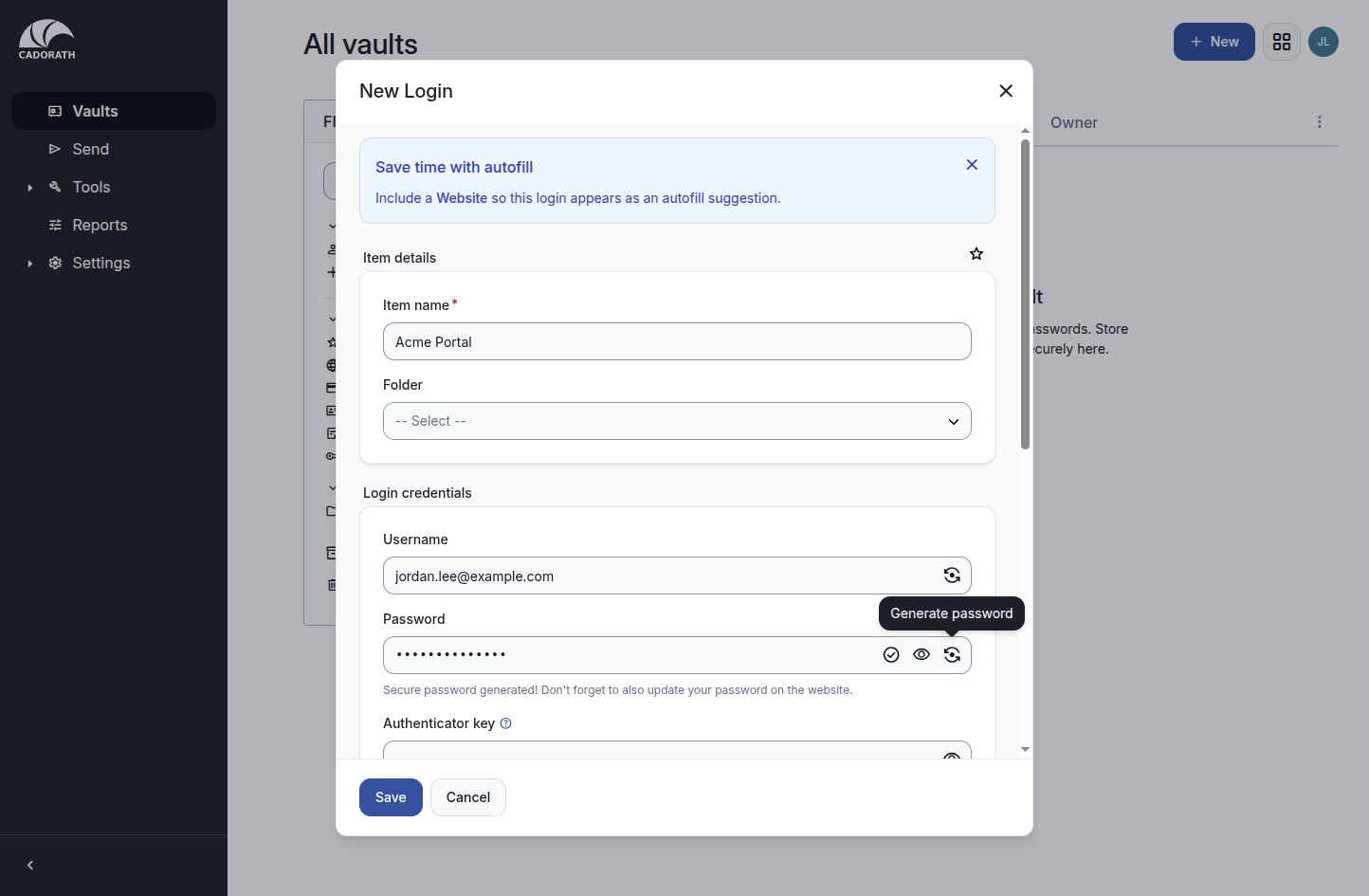
Login filled
4. Confirm in the vault list
The item appears under All vaults / My vault (owner Me).
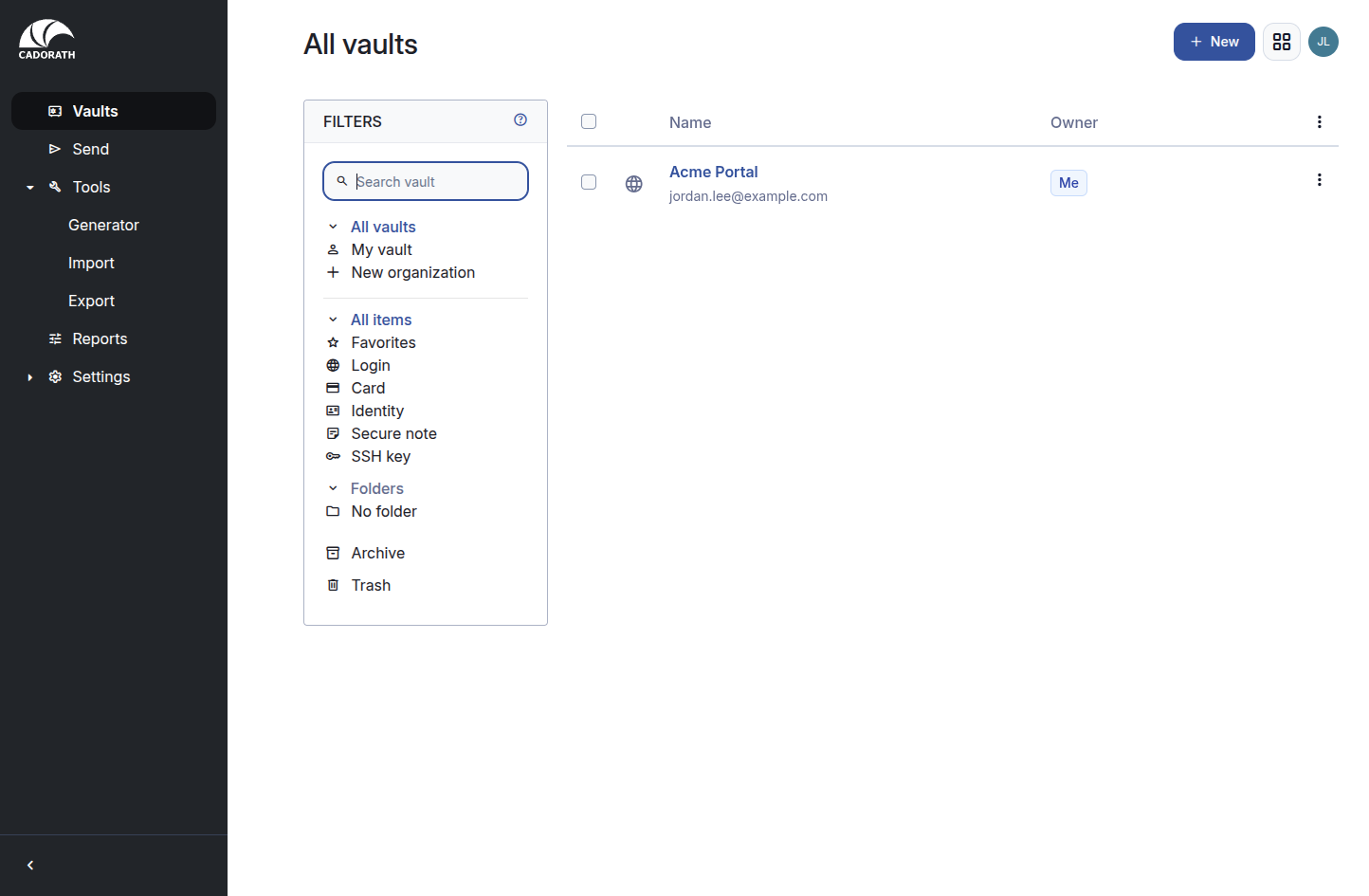
Vault with item
Click the item to view, copy username/password, edit, archive, or delete.
Tips
- One unique password per site/service.
- Prefer company email in Username when that is how you sign in.
- Folders are optional; use them if your vault grows large.